

Custom CRM Integration
Embed DoubleTick conversations directly inside your CRM with automatic login for your CRM users.
Custom CRM integration removes the need for users to separately log in to DoubleTick using their phone number and OTP. Your CRM validates the already logged-in user, and DoubleTick returns a short-lived token that authenticates the user inside the embedded DoubleTick iframe.
This provides a seamless experience where users can open a DoubleTick conversation directly from your CRM without leaving your application or going through login flow.
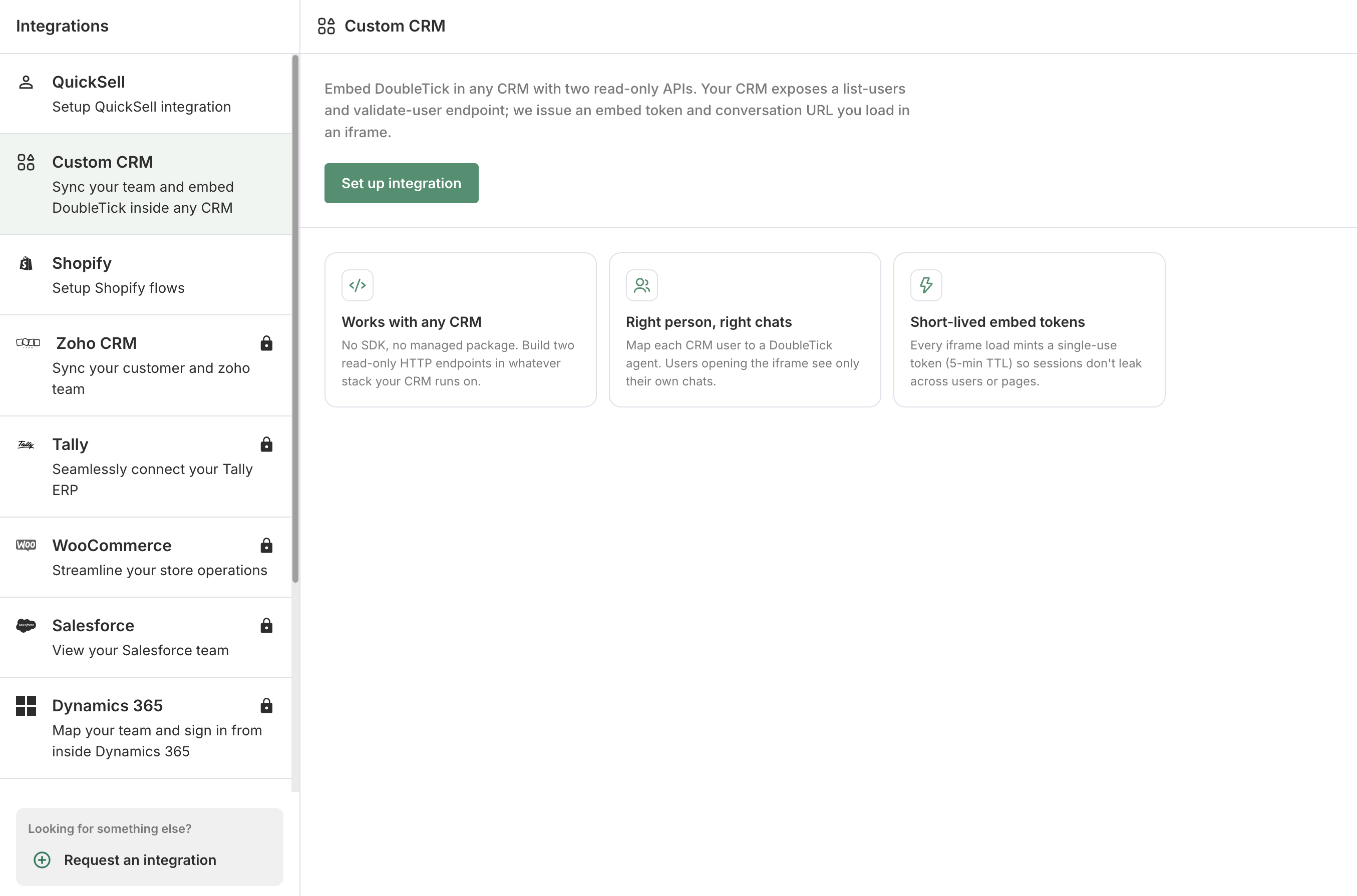
Custom CRM - DoubleTick Integration
How it works
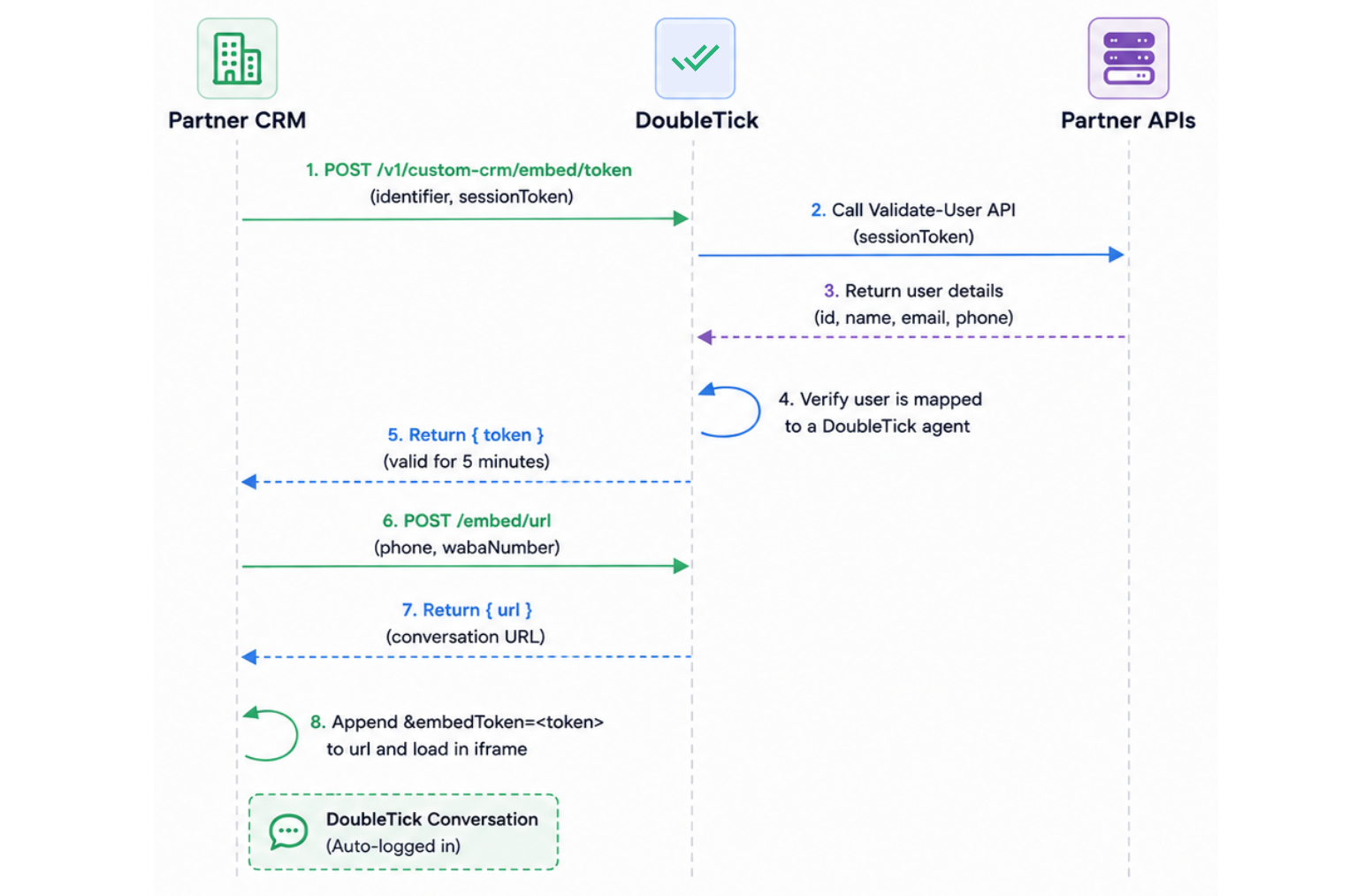
The Custom CRM integration uses your CRM user's existing session to automatically authenticate them in DoubleTick:
- Your CRM sends the logged-in user's session token to DoubleTick.
- DoubleTick validates the user and returns a short-lived
token. - Your CRM adds the
tokento the conversation URL and loads it in an iframe. - The user is automatically logged in to DoubleTick and can access the conversation without entering a phone number or OTP.
PRE-REQUISITES
Complete the Custom CRM integration setup in your DoubleTick integration and get your integration identifier.
1. Validate the CRM user
From your CRM backend, call the DoubleTick Validate User API:
curl -X POST 'https://aiapi.doubletick.io/v1/custom-crm/embed/token' \
  -H 'Content-Type: application/json' \
  -d '{
    "identifier": "<YOUR_INTEGRATION_IDENTIFIER>",
    "sessionToken": "<LOGGED_IN_USER_SESSION_TOKEN>"
  }'
DoubleTick validates the user through your configured Validate-User API and returns an token.
{
  "token": "<DT_SESSION_TOKEN>"
}
The embed token is single-use and valid for 5 minutes.
2. Get the conversation URL
Call the DoubleTick Embed URL API with the contact's WhatsApp number:
curl -X POST 'https://public.doubletick.io/embed/url' \
  -H 'Authorization: <YOUR_DOUBLETICK_PUBLIC_API_KEY>' \
  -H 'Content-Type: application/json' \
  -d '{
    "phone": "<CUSTOMER_PHONE>",
    "wabaNumber": "<YOUR_WABA_NUMBER>"
  }'
The response contains the conversation URL:
{
  "url": "https://webextend.doubletick.io/embed/conversations/..."
}
NOTE
See Embed WhatsApp Conversations Inside Your Product for the complete API reference and available URL parameters.
3. Load the conversation
Append the embed token to the conversation URL and use it as the iframe source:
const embedUrl = `${url}&embedToken=${token}`;

iframe.src = embedUrl;
Example:
<iframe
  src="YOUR_EMBED_URL"
  width="100%"
  height="600"
  frameborder="0"
></iframe>
APIs required from your CRM
DoubleTick needs two APIs from your CRM:
List Users API
DoubleTick calls this API to fetch your CRM users and map them to DoubleTick agents.
The response should include a stable user id along with optional user details such as name, email, and phone.
{
  "users": [
    {
      "id": "usr_98271",
      "name": "Asha Rao",
      "email": "[email protected]",
      "phone": "+919812345678"
    }
  ]
}
Validate User API
DoubleTick calls this API with the logged-in user's session token to identify the user.
{
  "id": "usr_98271",
  "name": "Asha Rao",
  "email": "[email protected]",
  "phone": "+919812345678"
}
The id returned by the Validate-User API must match the same user's id returned by the List Users API. This mapping determines which DoubleTick agent the CRM user is associated with.
Security
- Generate the embed token from your backend.
- Do not expose your CRM session token in frontend code.
- Keep your DoubleTick API key on your backend.
- Generate a new embed token when opening a conversation.
For the complete conversation embed API, iframe configuration, URL parameters, and authentication events, see Embed WhatsApp Conversations Inside Your Product.
Updated about 2 months ago